
Download Divi Form Builder – AI‑Powered Form Creation Tool for WordPress
Introduction
In today’s fast‑moving digital landscape, the ability to capture leads quickly and efficiently can make the difference between a thriving business and a stagnant website. Traditional contact forms often feel static, require manual tweaking, and rarely engage visitors beyond a simple “submit” button. Divi Form Builder changes that narrative by marrying the visual power of the Divi Builder with the conversational intelligence of OpenAI’s GPT models.
This hybrid approach enables marketers, developers, and agency owners to design multistep, interactive forms that feel like natural conversations, all without writing a single line of code. Whether you are looking to create a quick contact form, a detailed questionnaire, a dynamic quote generator, or a user‑generated content submission portal, Divi Form Builder provides a drag‑and‑drop interface that is instantly familiar to anyone who has worked with Divi. The plugin also respects performance and security best practices: it includes built‑in spam protection, token‑based spend limits for the AI, and responsive design that adapts to every device.
In short, the tool offers a secure, free‑to‑start solution that scales with your needs, making it an ideal addition to any WordPress site that already uses Divi.
Overview
Divi Form Builder is a modern, AI‑driven web application that brings sophisticated form‑building capabilities to anyone using the Divi Builder on WordPress. Powered by OpenAI’s GPT API, the tool lets you craft multistep, interactive, and visually striking forms without writing a single line of code. Whether you need a simple contact form, a complex questionnaire, or a dynamic lead‑capture funnel, Divi Form Builder provides a drag‑and‑drop interface that feels native to Divi’s design language.
The integration is seamless: once the plugin is installed, a new “Divi Form” module appears in the Divi Builder library, allowing you to drop it onto any page, customize its appearance, and connect it to your preferred email marketing or CRM services. Five ready‑made demos showcase the range of possibilities—from AI‑enhanced chat‑style forms that adapt to user input, to file‑upload forms with built‑in spam protection. The platform also offers granular control over AI personas, preloader animations, and spend limits, ensuring that you can fine‑tune the user experience while keeping operational costs predictable.
In short, Divi Form Builder turns the often‑tedious task of form creation into an enjoyable, secure, and highly customizable process that aligns perfectly with the aesthetic standards of modern WordPress sites.
Key Features & Installation Guide
Divi Form Builder packs a rich set of features that cater to both beginners and power users. Below is a concise list of the most impactful capabilities, followed by a step‑by‑step installation and usage walkthrough.
- AI‑Enhanced Form Logic: Leverage OpenAI’s GPT to create conversational forms that respond intelligently to user answers.
- Customizable AI Personas: Define the tone, style, and knowledge base of the AI, ensuring brand‑consistent interactions.
- Multistep Form Builder: Break long forms into manageable steps with progress indicators and smooth transitions.
- Preloader Styles: Choose from multiple animated preloader designs to keep visitors engaged while the AI processes input.
- Spend‑Limit Controls: Set maximum token usage per session to avoid unexpected API costs.
- File Upload Support: Accept documents, images, or any file type directly within the form, with size limits configurable.
- Frontend Post Creation: Allow visitors to generate WordPress posts from form submissions without backend access.
- Robust Spam Protection: Integrated reCAPTCHA and honeypot fields safeguard against bots.
- Responsive Design: All forms automatically adapt to mobile, tablet, and desktop screens.
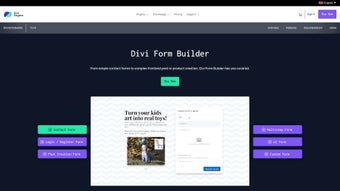
- Five Demo Templates: Quick‑start options that illustrate AI chat, survey, quotation, registration, and file‑upload scenarios.
Installation & Usage Instructions
- Purchase or download the free version of Divi Form Builder from the official website.
- Log in to your WordPress dashboard, navigate to Plugins → Add New, and click Upload Plugin. Select the ZIP file and hit Install Now.
- Activate the plugin. A new module called “Divi Form Builder” will appear under the Divi Builder → Modules section.
- Open the Divi Builder on the page where you want the form, add a new module, and select “Divi Form Builder.”
- Choose a demo template or start from a blank canvas. Use the visual editor to drag fields, set validation rules, and customize styling.
- In the “AI Settings” tab, link your OpenAI API key, select an AI persona, and define spend limits.
- Configure email notifications, integration hooks (e.g., Mailchimp, HubSpot), and post‑submission actions.
- Save the module, preview the page, and test the form to ensure all interactions behave as expected.
- Publish the page. Your visitors can now enjoy a secure, AI‑powered form experience directly on the front end.
Because the plugin is built specifically for Divi, there is no need for custom CSS or additional scripts—everything is handled within the familiar Divi interface, making the entire workflow both fast and secure.
Compatibility, Pros & Cons
Divi Form Builder is designed to work flawlessly with the most common WordPress environments, ensuring that you can deploy it on a wide range of hosting setups without compatibility headaches.
Compatibility (Web – WordPress; compatible with Windows, macOS, Linux servers; works on all browsers and mobile devices)
- WordPress 5.8 or higher (tested up to 6.5)
- Divi Theme 4.0 or higher, including Divi Builder plugin
- PHP 7.4 or higher (recommended 8.0+)
- MySQL 5.6 or MariaDB 10.1 or higher
- Compatible with popular caching plugins (WP Rocket, W3 Total Cache) when JavaScript defer is disabled for the form scripts.
- Works on all major browsers: Chrome, Firefox, Safari, Edge, and mobile browsers on iOS and Android.
Pros
- AI‑driven interactions make forms feel conversational and increase completion rates.
- No coding required; fully visual, drag‑and‑drop interface aligns with Divi’s workflow.
- Extensive customization options for AI personas, spend limits, and preloader styles.
- Built‑in spam protection reduces unwanted submissions.
- Responsive out‑of‑the‑box design ensures mobile‑friendly experiences.
- Frontend post creation opens new possibilities for user‑generated content.
- Free core version provides essential features; premium add‑ons are optional.
Cons
- Reliance on OpenAI API means you need an active API key and may incur usage costs beyond the free tier.
- Advanced AI customization (persona training) can be complex for non‑technical users.
- Premium version required for some advanced integrations (e.g., Zapier, advanced CRM hooks).
- Large forms with many AI calls may experience slight latency on slower servers.
Overall, the balance of powerful AI capabilities with a user‑friendly interface makes Divi Form Builder a compelling choice for marketers, agencies, and site owners who want to elevate their lead‑capture strategies without diving into code.
FAQ & Conclusion
Do I need a separate OpenAI account to use Divi Form Builder?
Yes. The AI features rely on OpenAI’s GPT API, so you must generate an API key from your OpenAI account and paste it into the plugin’s settings. The core form builder works without an API key, but AI‑enhanced interactions require it.
Is the plugin compatible with the latest version of Divi?
Absolutely. Divi Form Builder is tested with Divi 4.0 and higher, and updates are released in sync with major Divi releases to maintain full compatibility.
Can I limit the number of tokens the AI uses per form submission?
Yes. In the “AI Settings” tab you can set a spend limit that caps the maximum tokens per session, helping you control costs while still delivering rich responses.
What spam protection mechanisms are included?
Divi Form Builder includes Google reCAPTCHA v3, a hidden honeypot field, and server‑side validation to filter out automated submissions.
Is there a free version available?
Yes. The core plugin is free and provides all essential form‑building features. Premium add‑ons unlock advanced AI personas, extra integrations, and priority support.
Conclusion & Call to Action
Divi Form Builder stands out as a unique blend of AI intelligence and user‑centric design, tailored specifically for the Divi ecosystem. Its ability to generate interactive, multistep forms without coding lowers the barrier for marketers and site owners who want to boost conversion rates while keeping the visitor experience modern and engaging. The free version already delivers a powerful set of tools, and the optional premium upgrades ensure scalability as your needs grow. If you’re looking to replace static contact forms with dynamic, AI‑driven experiences, download Divi Form Builder today and start building forms that not only collect data but also converse with your audience.
Pros:
- AI‑driven conversational forms
- Seamless Divi integration
- Extensive customization
- Built‑in spam protection
- Responsive design
Cons:
- Depends on OpenAI API for AI features
- Advanced AI settings may need learning curve
- Premium add‑ons required for some integrations



.png)



